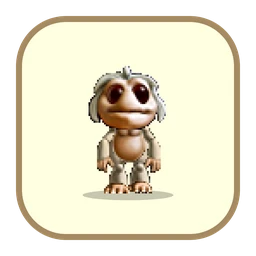
Ettin
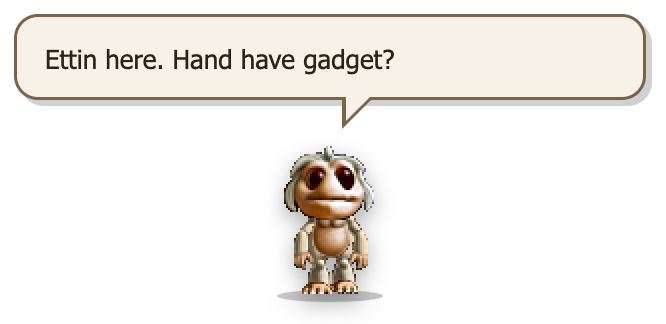
“Ettin here. Hand have gadget?”
- 83things to say about gadgets
- Up to 8on your desktop at once
- 17animations
- Offlinenever touches the internet
What it's like
Ettins came out of the desert in Creatures 2 with one thing on their minds: gadgets. On your desktop they’re just as curious – your computer is, after all, a very big gadget – and they drum, tap their toes, wave, sit, and nap in the small hours.
Ettins speak simple Ettin. There are no Yes/No buttons: they say their piece, and the bubble goes away on its own.
Things Ettin says
A few lines from the real thing. Ettin chat every minute or two; the bubble closes itself once there's been time to read it.
Ettin here. Hand have gadget?
Hand computer big gadget. Ettin like.
Ettin build tower. Gadget tower. Very tall.
Grendel break machine. Ettin fix machine.
Ettin want lift. Hand get lift?
Trade gadget? Ettin give cog.
Two ettin. Two gadget. Good.
Moves & moods
Drawn by the real pal – these are straight out of the app. Here's what each one is and when it happens.

Standing about
Looking around for gadgets.

Walking
Scurrying about the screen, mostly along the bottom.

Talking
Chatters in the Creatures 2 Ettin voice while the bubble types out.

Drum
Its favourite thing to do while idle.

Toe tap
Waiting for a gadget to turn up.

Wave
Now and then.

Hello
When it arrives, and when it meets another Ettin.

Sit
A quick rest.

Sleep
Late at night (11pm–6am), and sometimes on a 20-minute timer.

Kick
Occasionally.

Grumpy
Rarely.

Sneeze
Now and then.

Shiver
Brrr – with sound.

Poked
Laughs when you click it.

Dropped
Lands wherever you put it.

Side view
Faces the way it's going.

From behind
Off up the screen.
Ettins make the game's own noises: they chatter in Ettin when they talk, laugh when poked, cough and shiver. Mute them with the 🔊 on any Ettin, pick a volume, or set quiet hours from the Sound menu.
Poke it, drag it, try to close it
Poke it
Click an Ettin and it laughs and says something. Four pokes in a row and it tells you off.
Stop! Ettin not button!
No poke! Poke machine!
Pick it up and drop it
Drag it anywhere. It lands and looks around for machines.
Whoa! Ettin drop gadget!
Ettin land. Sand? No sand.
Add another
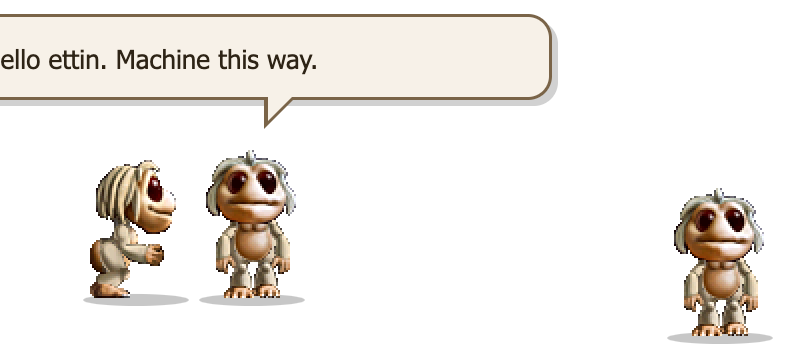
Up to eight Ettins at once. They find each other, walk over, say hello and talk shop.
Ettin! You have gadget?
Hello ettin. Machine this way.
Send one home
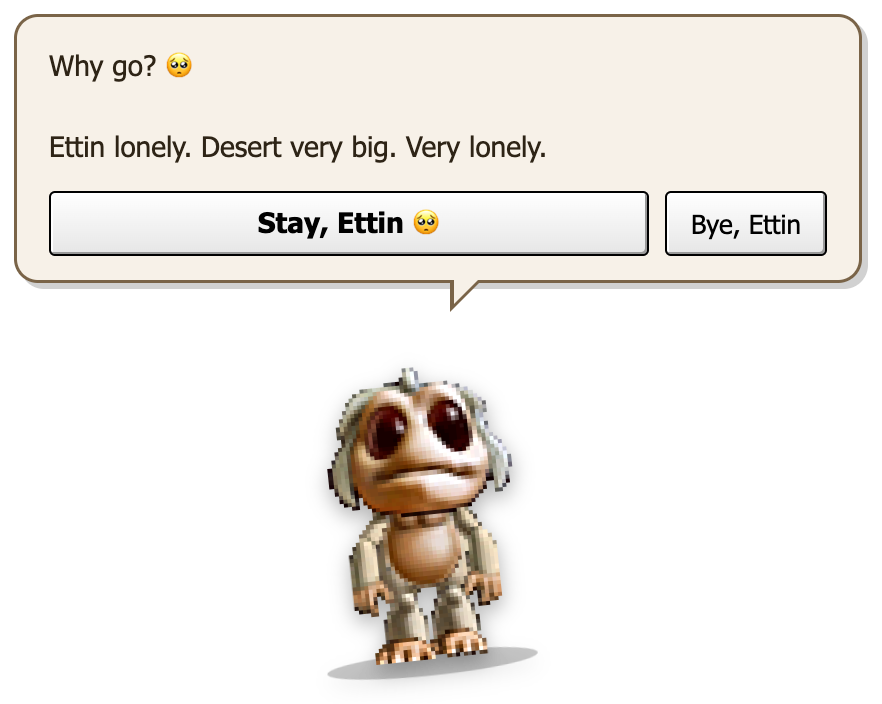
The × on an Ettin sends that one home. Close the last one and you get the plea first. “Bye, Ettin” closes it.
Why go? 🥺 Ettin lonely. Desert very big. Very lonely.
Ettin go. Ettin take one gadget. Just one.
The “are you sure?” plea
It's the most 2003 thing about the pals, and our favourite. Quit from the menu bar or tray, press ⌘Q or AltF4, click the × that appears when you hover over them – whatever you do, Ettin slides in from the side of the screen and asks you to reconsider.
It's a joke, not a trap. The close button is right there, and it works first time. Pressing Esc or the keep button means “fine, stay”. And if your computer is shutting down or logging out, there's no plea at all – it gets out of the way.
What Ettin connects to
Nothing. Ever.
Ettins never connect to the internet. They have no feeds to read and nothing to fetch – they work exactly the same with your Wi-Fi off. They don't open web pages either; the only link anywhere is the WhiteFish Creative website in the About box, and only if you click it.
Download Ettin
Pick the file for your computer. No account, no email address, nothing to sign up for.
Pal pack for PalPlayer
One small file that works on Mac, Windows and Linux. Install PalPlayer once, then double-click the pack to add Ettin – every pal you add after that is a quick download too.
Or the standalone app
Ettin on its own – no PalPlayer needed. A bigger download, because each standalone pal brings its own copy of everything it needs to run.
macOS
Signed & notarised by WhiteFish Creative LimitedOpen the .dmg and drag Ettin into Applications. It opens with no warnings. Not sure which Mac you have? Apple menu → About This Mac: “Chip: Apple M…” means Apple silicon.
Windows
Not code-signed on Windows (yet)Windows 10 or 11 (64-bit). Nothing to install – just run the .exe. SmartScreen may say it “protected your PC”, because the file isn't signed – click More info → Run anyway. Why?
Version 1.0.0 · Free · No account needed · How to uninstall
Creatures, Norns, Grendels and Ettins are from Creatures 1 & 2 by CyberLife Technology / Creature Labs. Fan-made breeds by their creators, credited on each pal's page.